Des indications visibles de loin
Pose l’iPhone sur un support stable et suis le grand cercle et les flèches. Pas besoin de déchiffrer une toute petite image à plusieurs mètres.
Filmer sa danse · iPhone · iOS 17 ou ultérieur
Lancer la caméra, démarrer la musique, puis tout recaler au montage : se filmer en train de danser demande vite plusieurs manipulations. Avec DanceTake, choisis ta musique ou ta vidéo de référence et touche le bouton de départ. L’app t’aide à te placer, attend que tu restes immobile, puis lance le compte à rebours. La musique et l’enregistrement démarrent ensemble.
Disponible sur l’App Store · Prise de vue gratuite, option Pro en achat unique
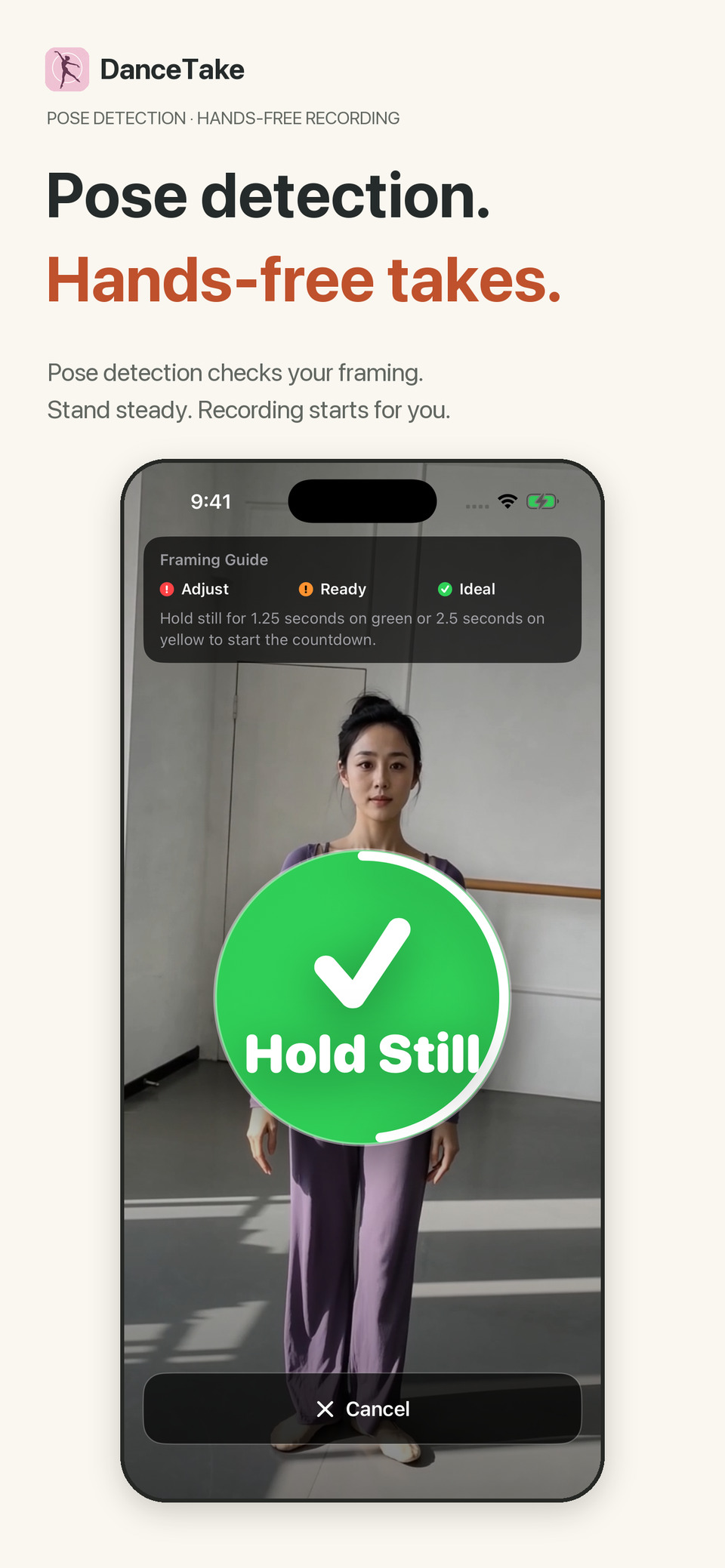
L’app repère les points du corps pour t’aider à te placer dans l’image.
Une fois le cadrage correct, reste immobile pour lancer le compte à rebours.
Le son d’origine est ajouté à la vidéo, sans avoir à le repositionner après.
Filme gratuitement. Un achat unique permet d’exporter sans filigrane.
Le cadrage en images
Véritables écrans de l’app en anglais, avec une personne filmée pour la démonstration. La détection du corps aide au cadrage ; elle ne note pas ta danse.
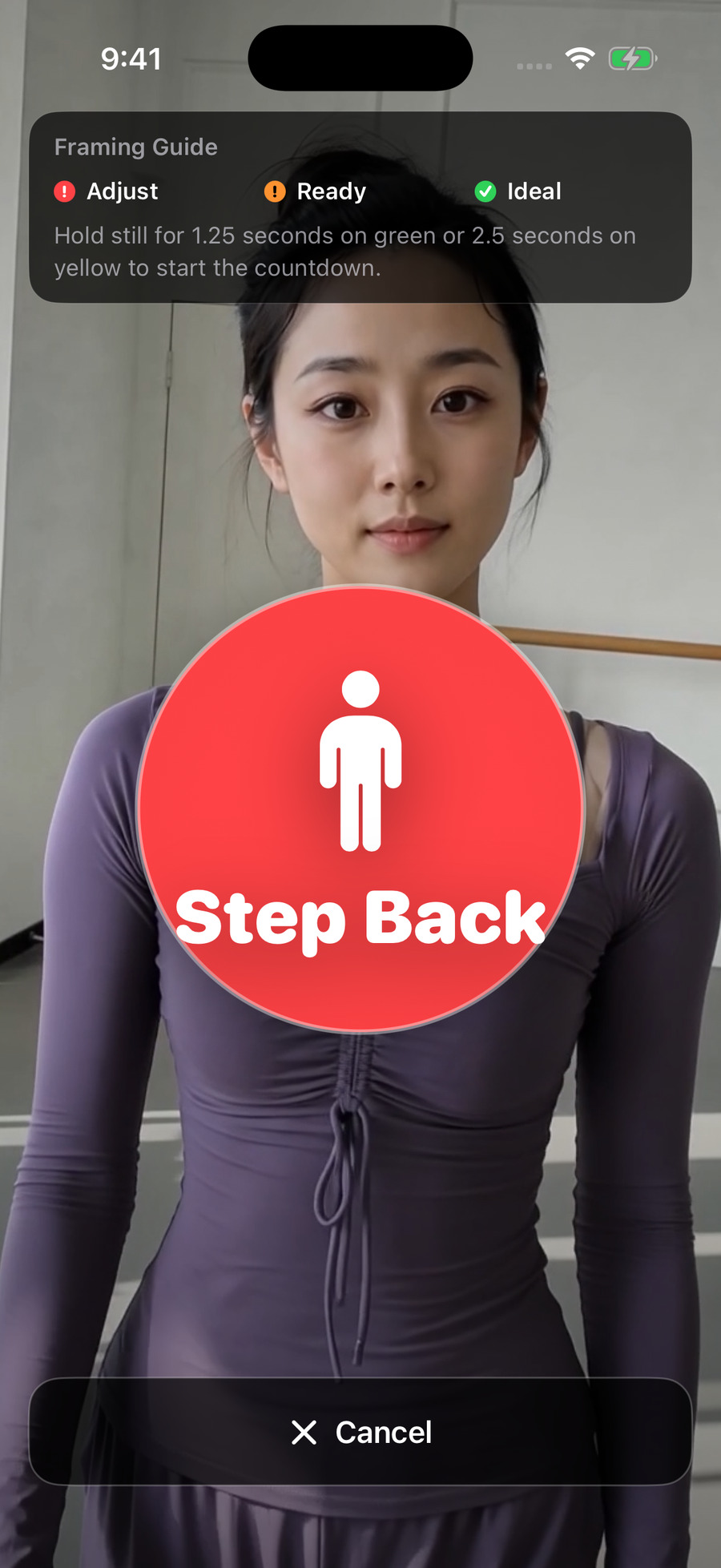
Une grande indication t’aide à te placer avant de filmer.
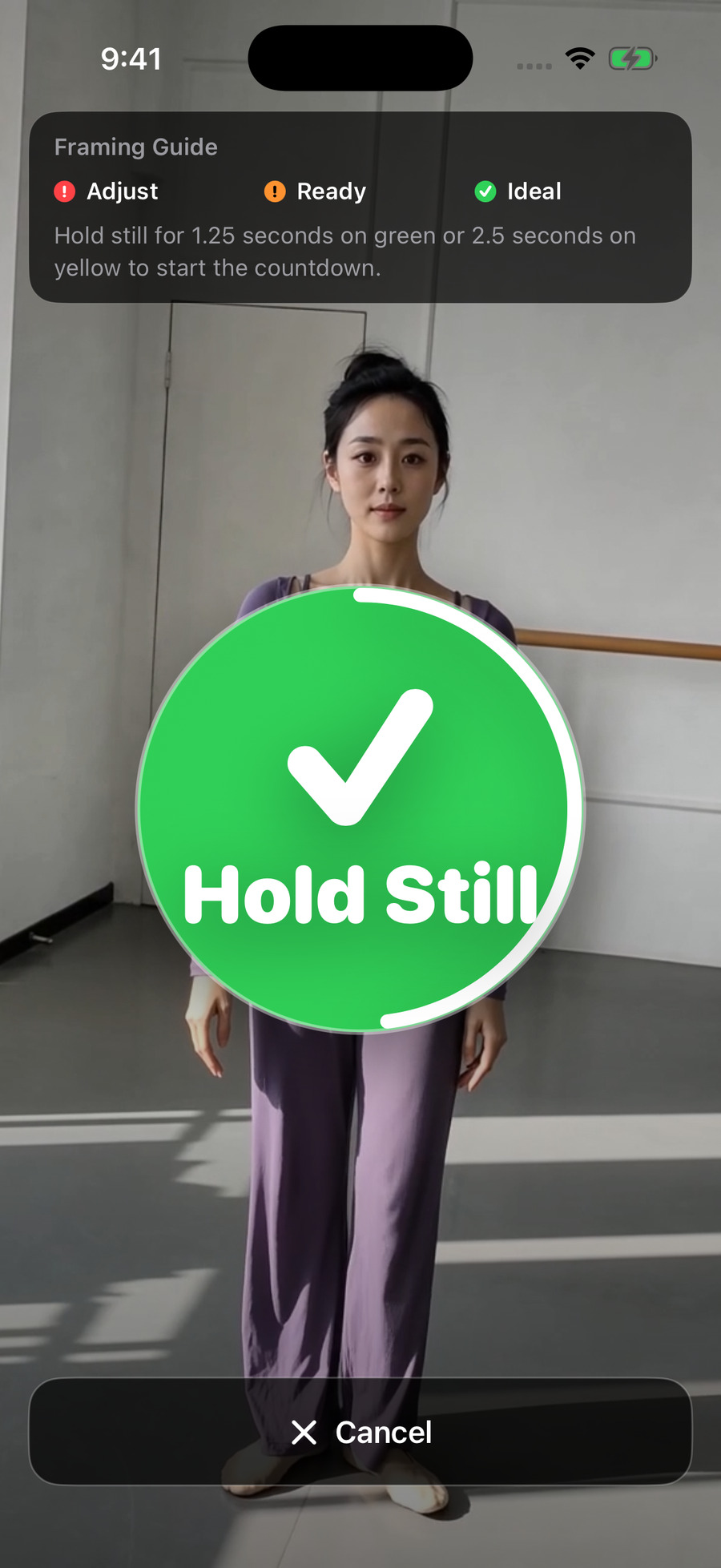
Reste immobile au jaune ou au vert pour démarrer le compte à rebours.
Pour filmer tes propres séances
Un retardateur classique ne sait pas si tu as trouvé ta place. DanceTake vérifie le cadrage avant de lancer le compte à rebours.
Pose l’iPhone sur un support stable et suis le grand cercle et les flèches. Pas besoin de déchiffrer une toute petite image à plusieurs mètres.
Danse pendant la lecture de ton morceau ou de ta vidéo de référence. La prise terminée reprend le son d’origine de ce fichier.
Les vidéos tournées avec le même fichier sont regroupées. Regarde-les, refais un essai et supprime celles que tu ne veux pas garder.
Comment ça marche
Tu peux aussi filmer sans musique ni vidéo de référence. Autorise le micro pour garder le son ambiant, ou continue sans son si cet accès n’est pas disponible.
Prends une vidéo dans Photos, ou un fichier audio ou vidéo dans Fichiers. DanceTake ne fournit pas de catalogue de musique ou de cours.
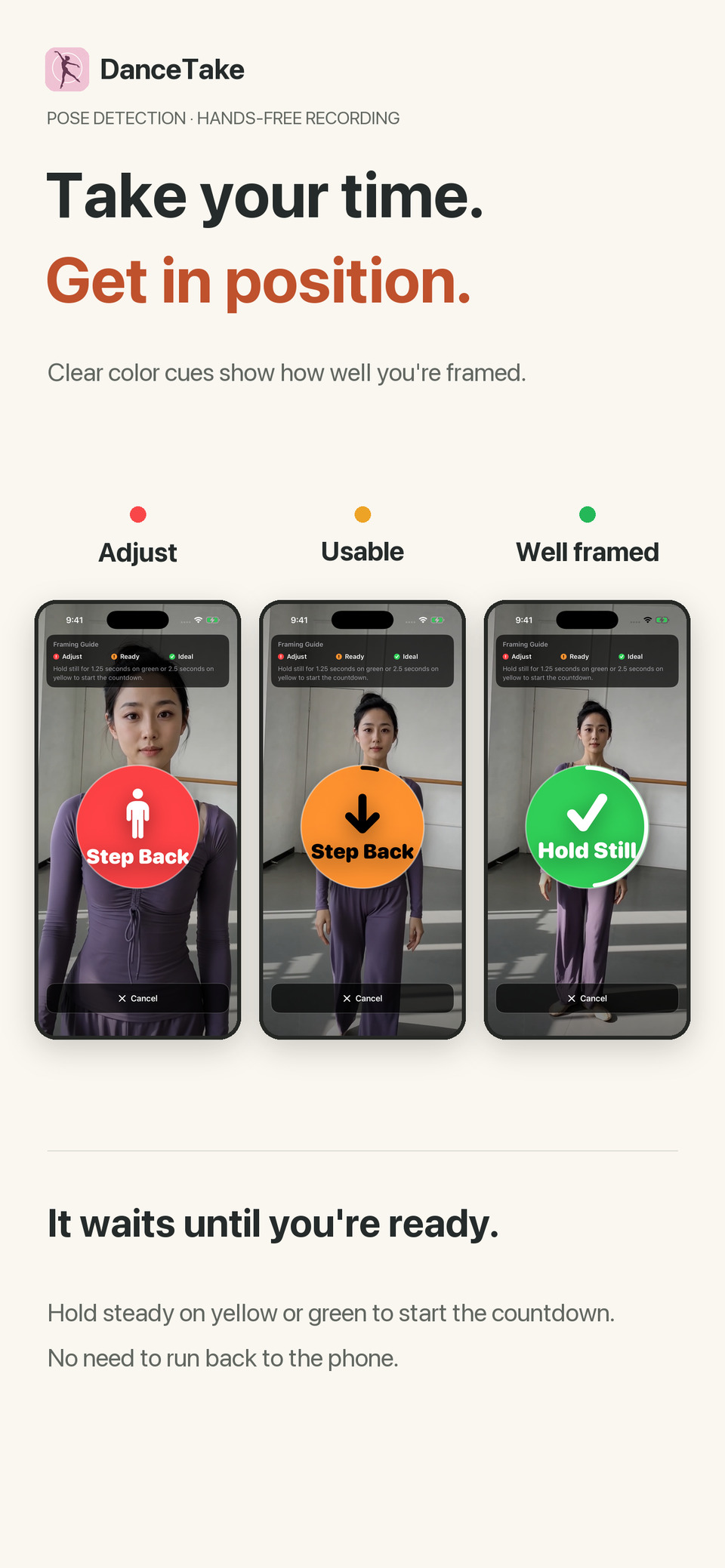
Rouge : ajuste ta position. Jaune : tu peux filmer. Vert : le cadrage est meilleur. Reste immobile pour lancer le 3–2–1. Un mouvement important pendant le compte à rebours renvoie à la vérification du cadrage.
Arrête la prise, relis-la ou parcours-la pour vérifier un passage. Tu peux inverser l’image en miroir ou couper la fin, puis enregistrer dans Photos ou partager la vidéo avec son audio d’origine.
Filmer gratuitement, exporter sans filigrane en option
Détection du corps, indications de placement, compte à rebours automatique et caméra avant. Le réglage par défaut est 720p à 30 images/s ; les autres choix dépendent de ton iPhone.
Synchronisation du son d’origine, lecture, coupe de la fin et effet miroir. Les prises sont regroupées par fichier, avec suppression par balayage ou par sélection multiple.
Les exports gratuits portent un filigrane pendant les 5 dernières secondes, ou sur toute la durée s’ils sont plus courts. Un seul achat débloque définitivement l’enregistrement et le partage sans filigrane. Aucun abonnement.
Sur ton iPhone
La détection du corps, la synchronisation du son et le traitement vidéo se font sur l’appareil. Pas de compte DanceTake, de publicité, d’analyse comportementale ni de suivi entre apps. Les achats et leur restauration passent par le StoreKit d’Apple.
Politique de confidentialité →Avant de te lancer
Le compte à rebours ne part pas dès que tu touches le bouton. DanceTake vérifie d’abord ta position. Il faut ensuite rester immobile environ 2,5 secondes au jaune, ou 1,25 seconde au vert.
Non. Les indications servent à te placer avant de filmer. Il n’y a ni suivi automatique de la caméra ni évaluation de ta technique. Garde assez d’espace pour bouger et filme dans un endroit bien éclairé.
Oui. Ne choisis aucun fichier. Avec l’accès au micro, tu peux enregistrer le son ambiant ; sans cet accès, tu peux continuer à filmer sans son.
Non. Elle reprend le son du fichier choisi. Les explications et les comptes déjà présents restent dans la vidéo.
Uniquement l’export sans filigrane. Le cadrage, le tournage, la synchronisation du son et la gestion des prises restent gratuits. Pro est un achat unique, avec restauration possible dans l’app.
Les copies importées et les prises sont conservées dans DanceTake. Enregistrer dans Photos crée une autre copie. Les sauvegardes système et la synchronisation des photos peuvent s’appliquer selon tes réglages.
Télécharge DanceTake et essaie gratuitement. Si tu veux enregistrer ou partager sans filigrane, tu pourras ajouter Pro en un seul achat.