Design QA
Review exported screens before handoff and locate weak text contrast without inspecting every layer.
v1.0 · macOS 14+ · On-device
Find text in screenshots, estimate its rendered contrast, and move from a flagged result to the exact image region.
Available now · Free download
Images are analyzed on your Mac
Choose either view or see both
Results and regions stay linked
No batch queue limit
Rendered-screen review
ContrastRadar complements source-code accessibility tools when the only reliable artifact is a screenshot or exported design.
Review exported screens before handoff and locate weak text contrast without inspecting every layer.
Check a set of real application states, including content that differs from the design file.
Give designers and engineers the exact region, estimate, and confidence needed for a focused follow-up.
A focused review flow
ContrastRadar keeps recognition, contrast estimates, location, and confidence in one native Mac workspace.
Drop in PNG, JPEG, or HEIC screenshots and design exports.
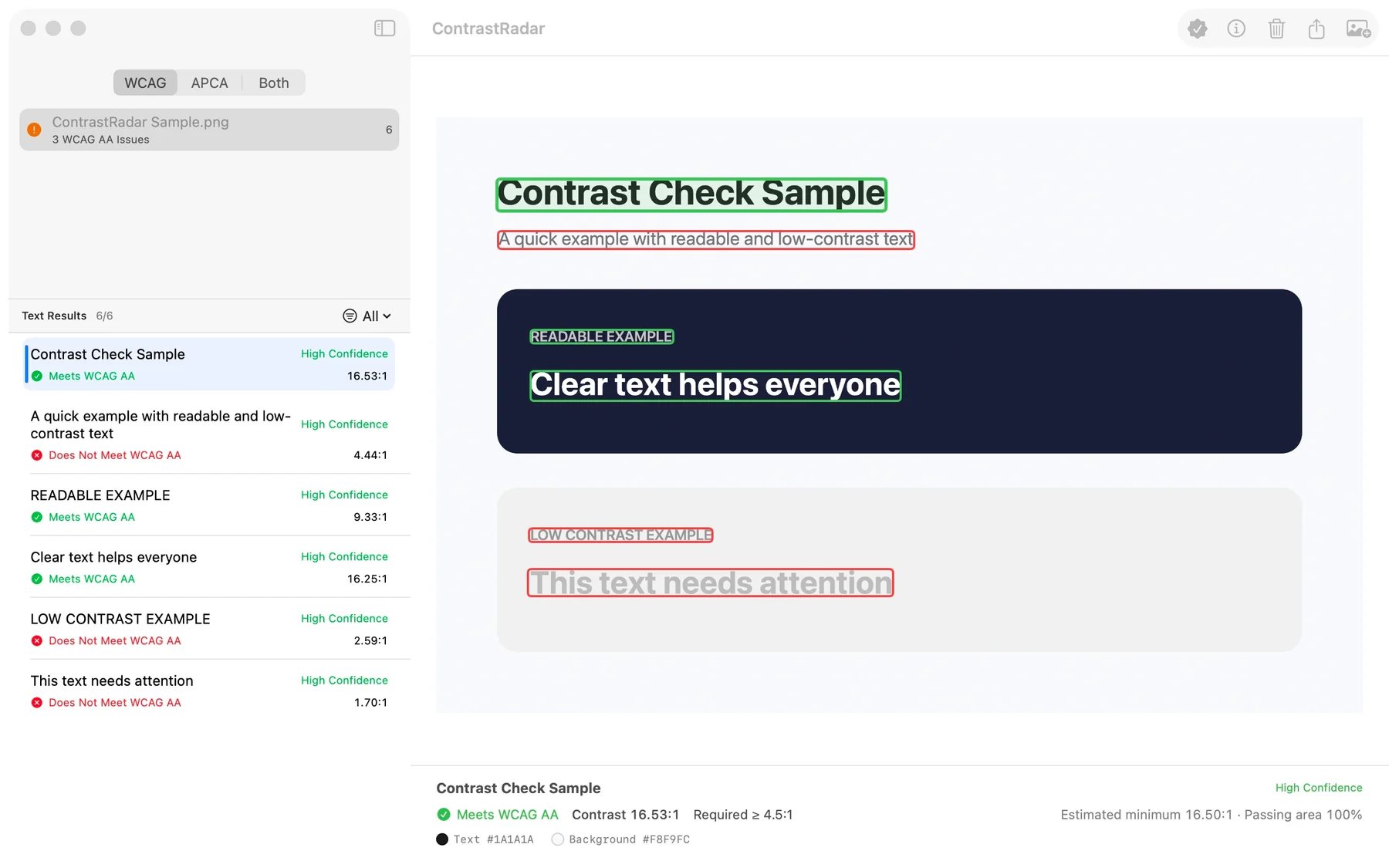
Apple Vision locates text while ContrastRadar estimates foreground, background, and contrast.
Filter the results, jump to the exact region, and review the confidence before deciding.
Location, not just a ratio
A contrast value is easier to trust when the corresponding text and sampled region stay visible. Select either side and ContrastRadar keeps the other in view.
Select a result to locate its rectangle, or select a region to return to the result.
Review the lowest estimated contrast found across the text region.
Prioritize high-confidence failures without hiding cases that need judgment.
Two views, clearly separated
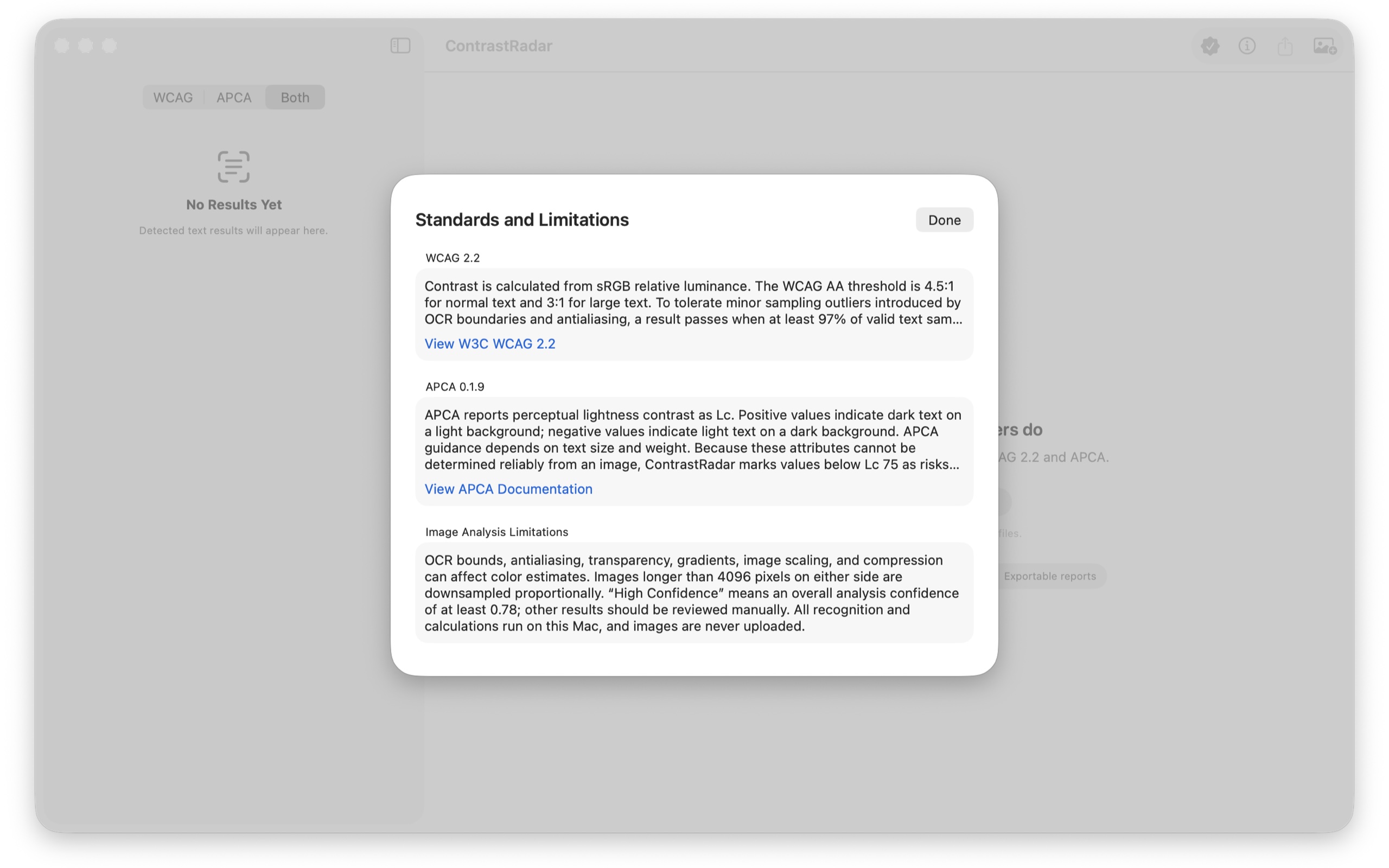
Display WCAG only, APCA only, or both. ContrastRadar explains thresholds, polarity, confidence, and the limits of image-based analysis directly in the app.
AA thresholds for normal and large text, using the established contrast-ratio method.
Lc values with polarity-aware perceptual guidance and risk context.
A screenshot cannot reveal original font metrics, CSS, or semantic context. Final review remains yours.
Built for rendered interfaces
Apple Vision OCR with automatic language detection
Foreground and nearby background sampling
Passing, failing, all, and high-confidence issues
Proportional downsampling above a 4096-pixel edge
Unlimited Pro queue with cancellation and isolated failures
PDF and CSV export for completed checks
Free and Pro
Pro is a one-time in-app purchase. The final price is shown by your local App Store.
Free
Pro
Private by architecture
Questions
No. OCR, color sampling, and contrast calculations run locally on your Mac.
No. Image analysis cannot see original font metrics, CSS, or semantic context. ContrastRadar shows estimates and confidence for your final review.
WCAG 2.2 provides established ratio-based thresholds. APCA adds polarity-aware perceptual guidance. You can display either standard or both.
A one-time Pro purchase adds an unlimited batch queue plus PDF and CSV report export.

Download it free from the Mac App Store. Use single-image checks without limits, then unlock batch analysis and report export with one Pro purchase.