Podcast production
Check loudness, peaks, boundaries, and listening candidates before publishing.
v1.2 · macOS 14+ · On-device
Scan a complete audio delivery, review technical findings in context, and create a clear record for the next handoff.
Available now · Free download
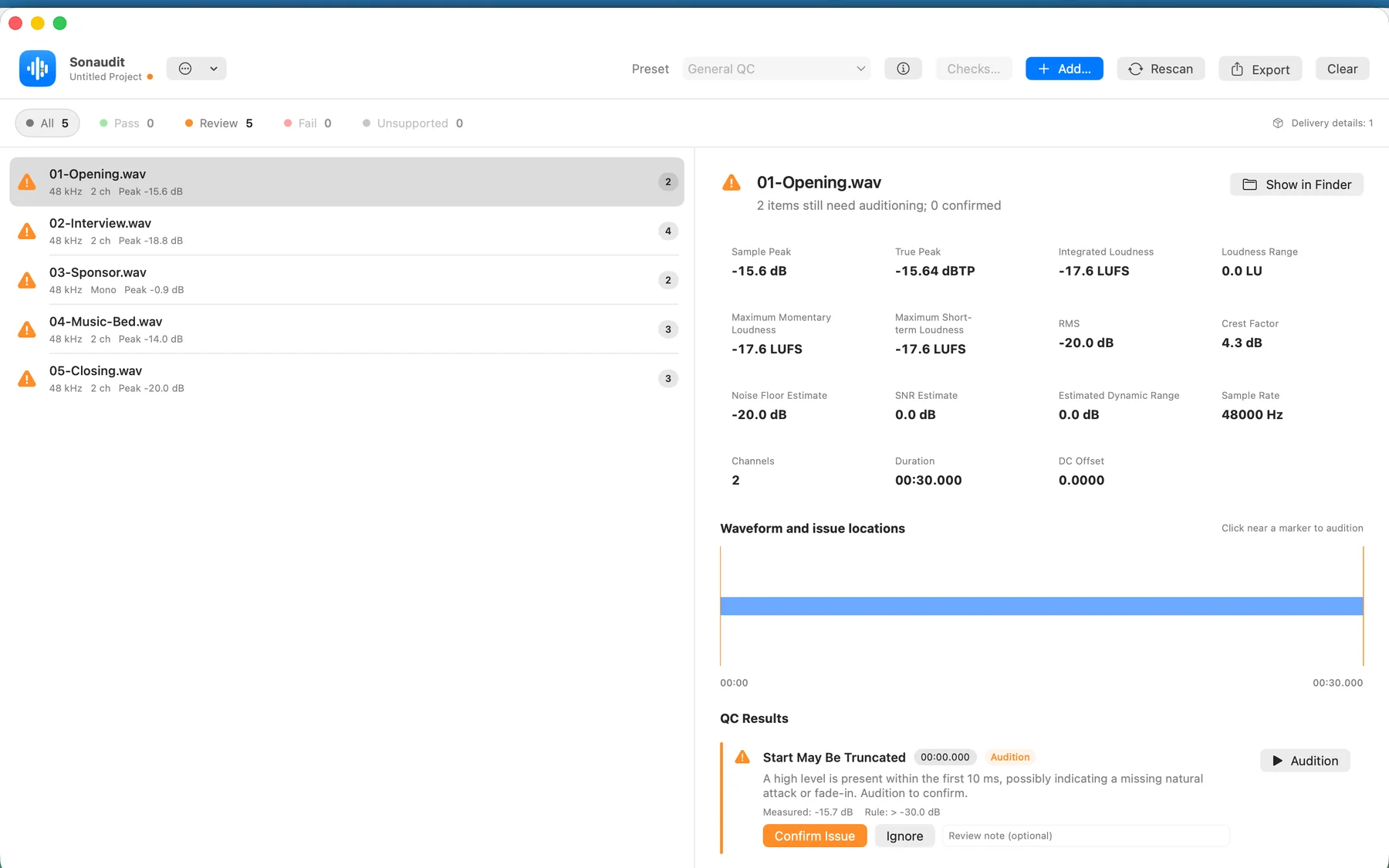
Audio never leaves your Mac
Files and folders in one review
Jump to the exact finding
PDF, CSV, and JSON reports
Built for handoffs
Use the same review structure across one file or a complete delivery while keeping judgment with the operator.
Check loudness, peaks, boundaries, and listening candidates before publishing.
Review chapters as a batch and keep a consistent record for the next production stage.
Separate measurable exceptions from issues that require an engineer to listen and decide.
A focused workflow
Sonaudit keeps scanning, listening, review state, and reporting in one native Mac workspace.
Choose individual files or drag in the complete folder.
Start with General QC or choose a reference profile for the job.
Audition findings, record decisions, then export what the handoff needs.
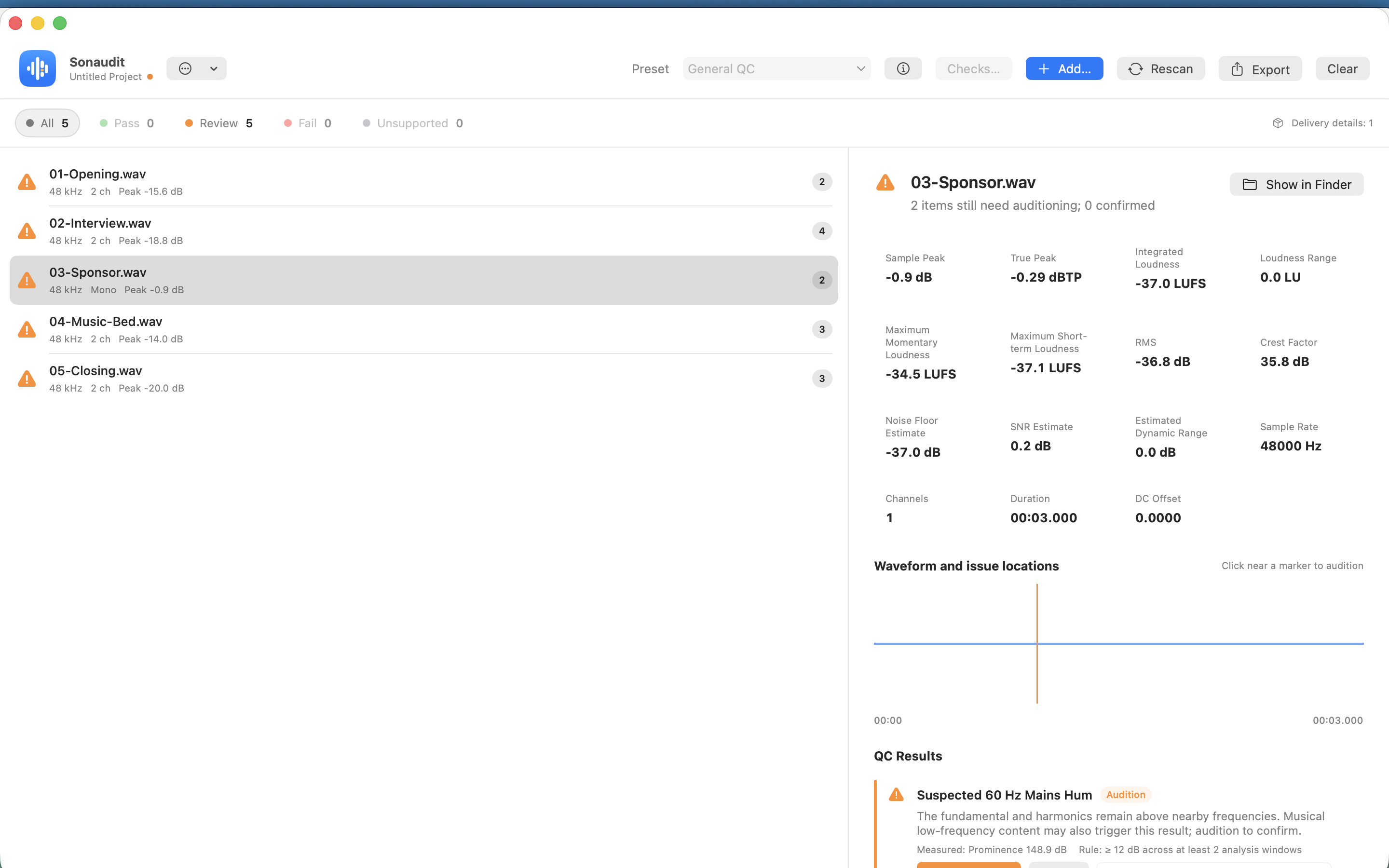
Evidence, not just alerts
Every timed result leads back to the waveform and the surrounding audio. Measurements and listening candidates are labelled separately, so the next decision stays clear.
Open the reported moment directly on the waveform.
Listen around the finding without leaving the review.
Confirm, ignore, or annotate a result and keep the decision.
Background music & Cue Sheets
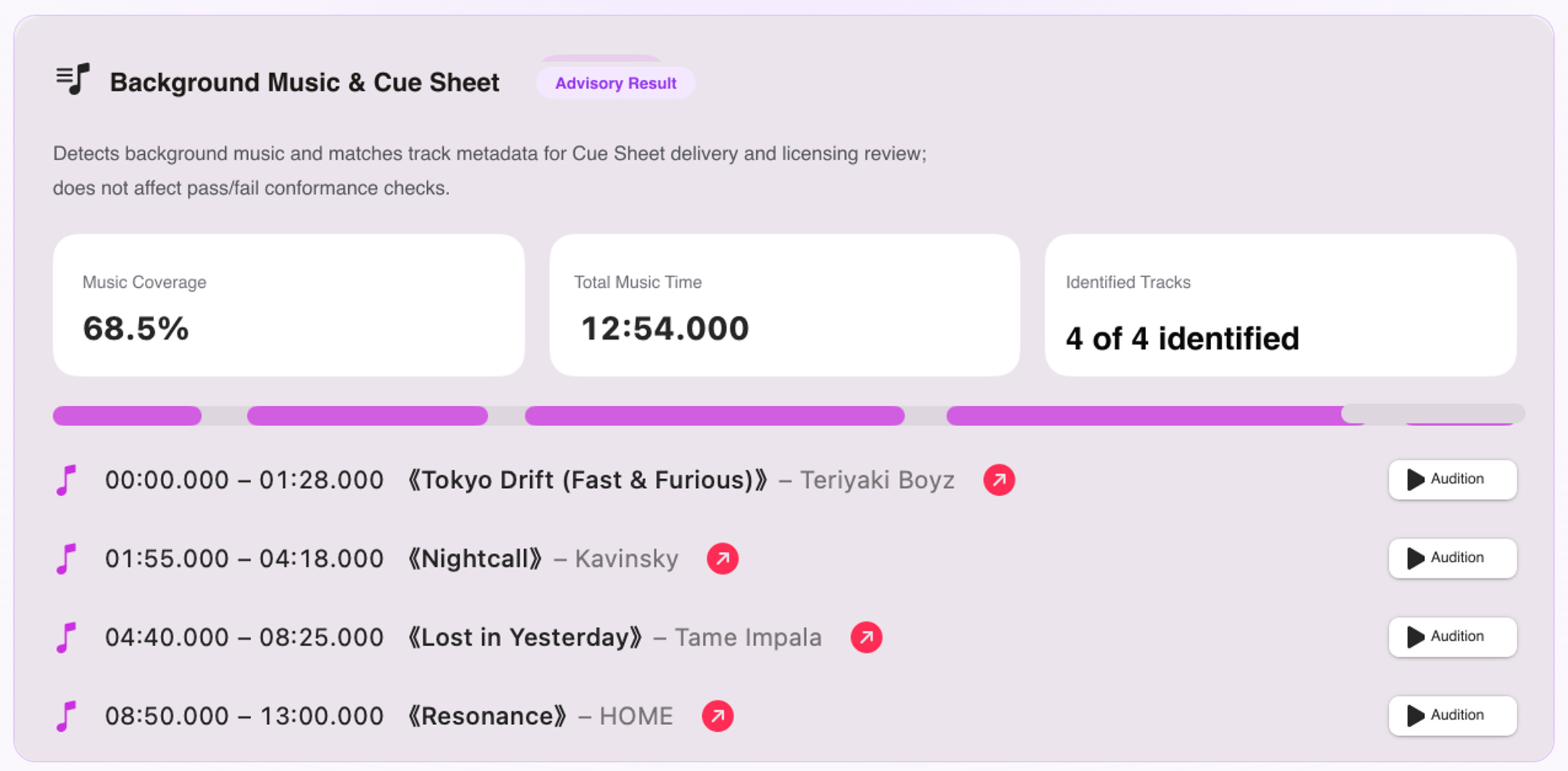
Sonaudit automatically detects background music regions in rendered video and audio, identifies tracks via acoustic fingerprinting, and exports standardized delivery Cue Sheets—completely offline on your Mac, with zero footage leaving your machine.
Apple Sound Analysis isolates music energy with smart tolerance for dialogue ducking.
ShazamKit matches song titles and artists; jump straight to the waveform to audition.
Export structured PDF, CSV, and JSON logs compliant with broadcast and licensing clearance.
Technical coverage
Repeatable measurements, practical reference profiles, and clear evidence in every result.
Decode status, container, sample rate, channels, and bit depth
Integrated loudness, LRA, momentary and short-term values
Sample peak, true peak, and clipping
Long silence, abrupt starts, and possible truncated endings
Possible clicks, pops, hum, and phase concerns
Background music detection, track metadata matching, and delivery cue sheet logs
Metadata markers, SHA-256, and batch consistency
Common inputs include WAV, AIFF, CAF, M4A/M4B, MP3, FLAC, AAC, OGG, and other formats readable by macOS.
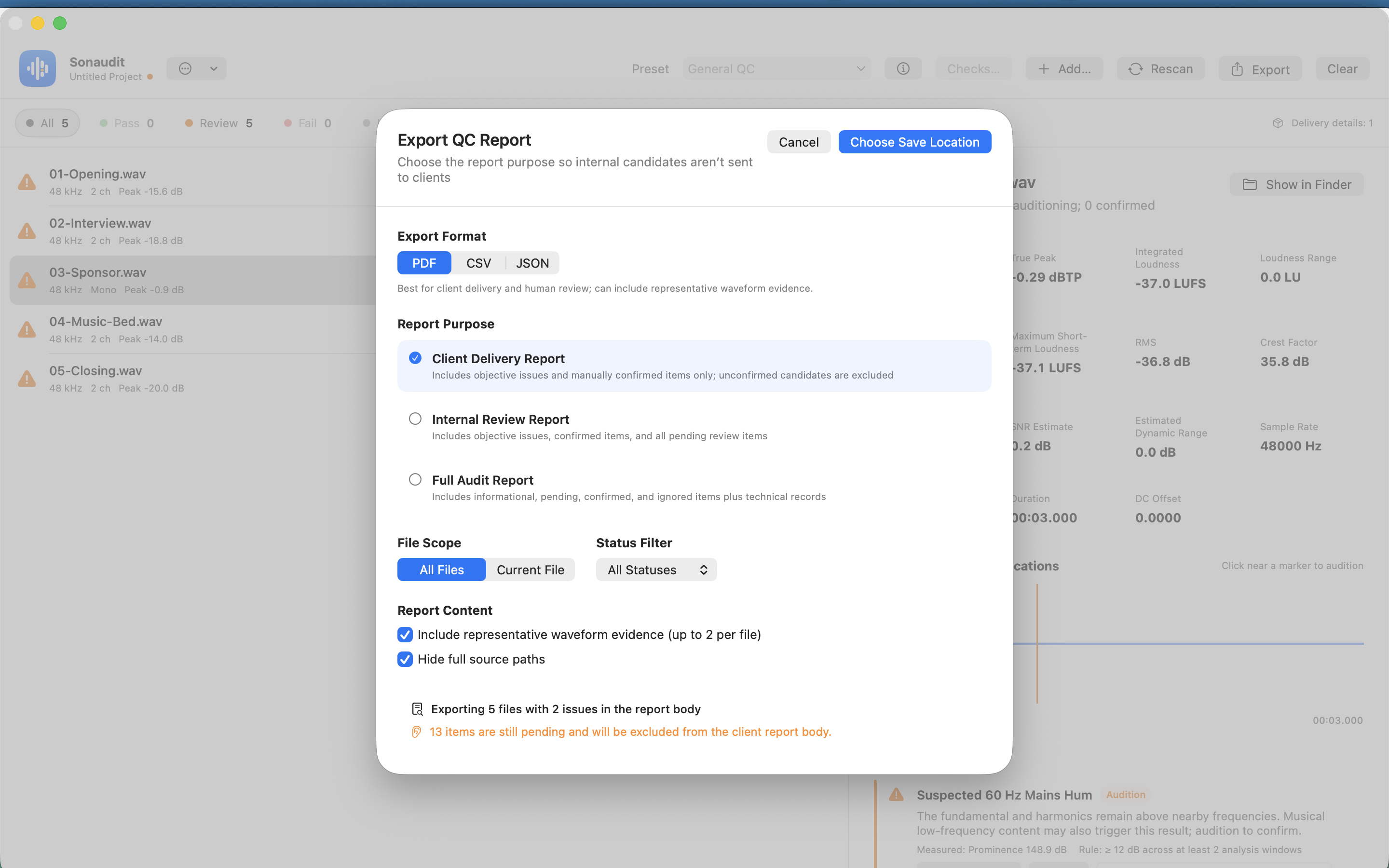
Reports that fit the handoff
Choose the files, statuses, and evidence that belong in the report. Create a focused PDF for review, or structured CSV and JSON for the rest of your workflow.
Free and Pro
Pro is a one-time in-app purchase. The final price is shown by your local App Store.
Free
Pro
Private by architecture
Questions
No. Audio analysis, project data, and review notes remain on your Mac.
No video or audio is ever uploaded. Sonaudit demuxes audio locally on macOS, detects music regions using Apple Sound Analysis, and queries ShazamKit acoustic fingerprints. Your media files stay 100% on your Mac.
No. Sonaudit reports evidence and leaves the source file untouched.
Not necessarily. Content-dependent detections are presented as listening candidates so you can review the context.
Profiles turn common delivery practices into transparent checks. For formal acceptance, use them alongside the receiver’s current specification.

Download it free from the Mac App Store. Check up to three files per batch, then unlock unlimited batches, projects, custom profiles, and report export with one Pro purchase.