Research archives
Search reports, references, and downloaded document collections without reorganizing them first.
macOS 14+ · On-device
Find text and file names across folders, PDF and Office documents, images, and nested archives—without unpacking every file or waiting for a full-disk index.
Available now · Free download
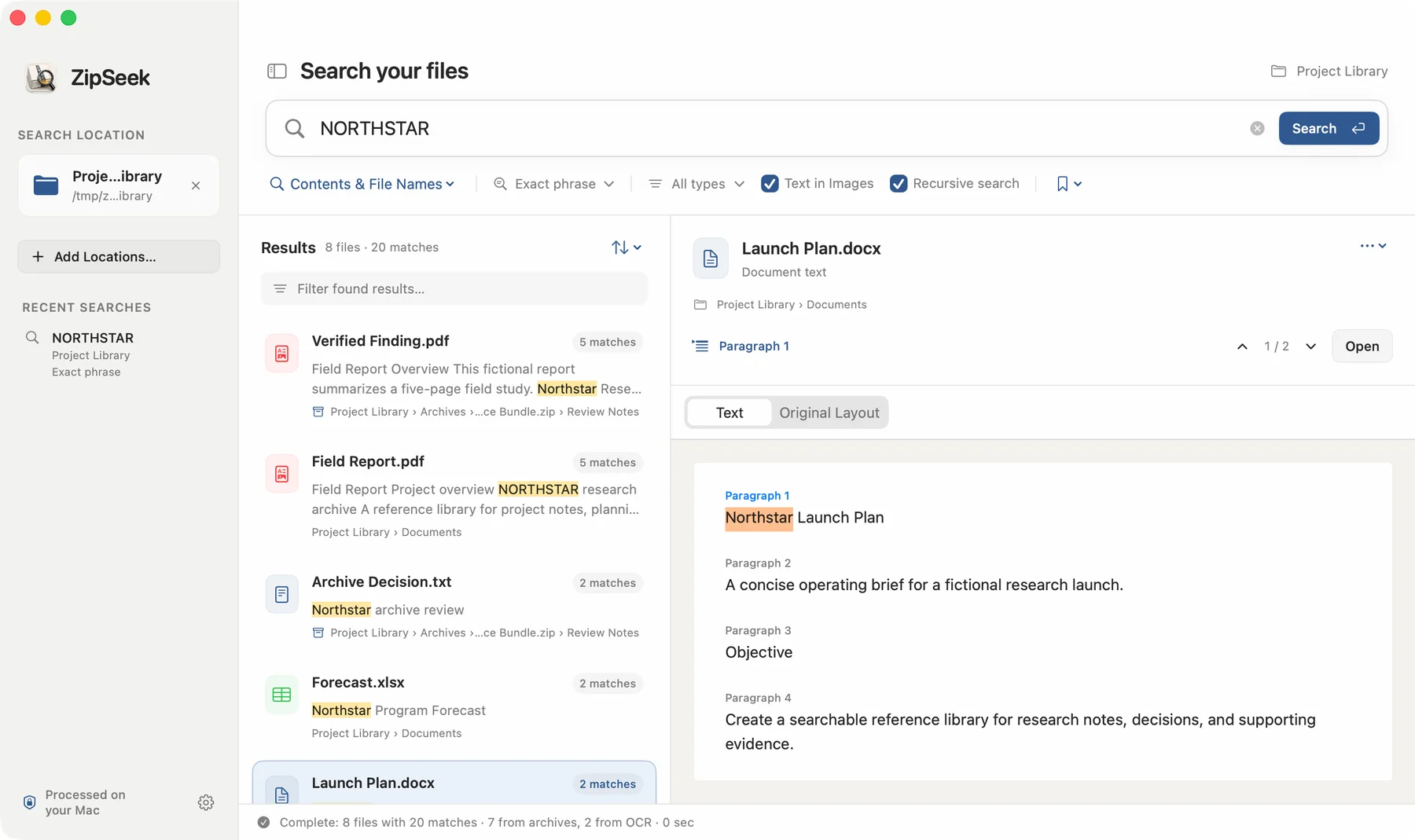
No background full-disk index
ZIP, 7z, RAR, and folders
Pages, slides, cells, and OCR regions
Documents stay on this Mac
Made for unstructured libraries
ZipSeek is useful when opening and unpacking every candidate would take longer than the search itself.
Search reports, references, and downloaded document collections without reorganizing them first.
Trace a phrase through mixed folders, Office files, and the archives supplied by another team.
Find names, clauses, and identifiers in old ZIP, 7z, and RAR packages while preserving the source path.
One focused workflow
ZipSeek follows the structure you already have instead of asking you to reorganize it first.
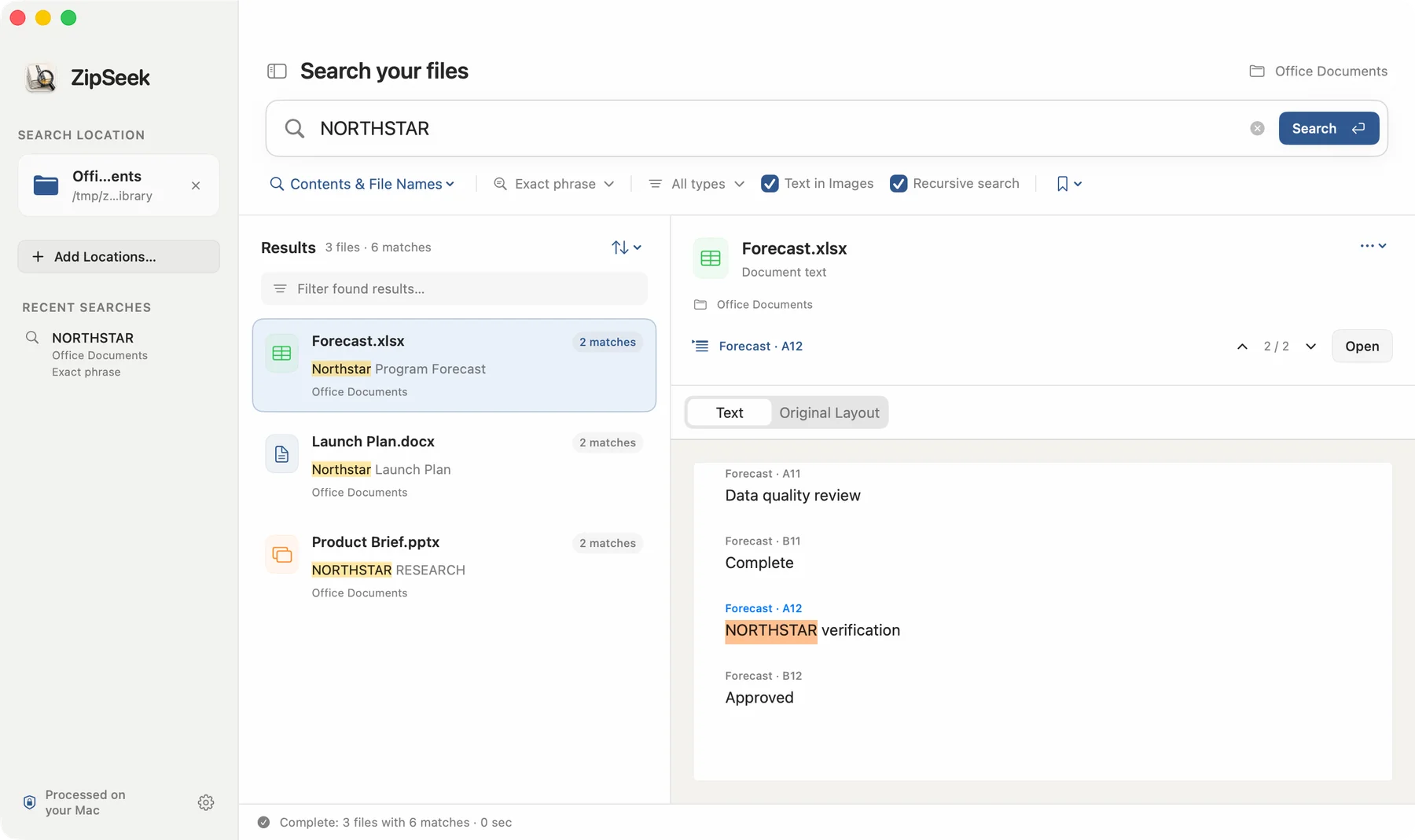
Open a folder, a document, an image, or an archive—or drag it into the window.
Search contents, file names, or both. Limit the document types and enable OCR only when needed.
Open the nested path and review the matching page, paragraph, slide, worksheet cell, or image region.
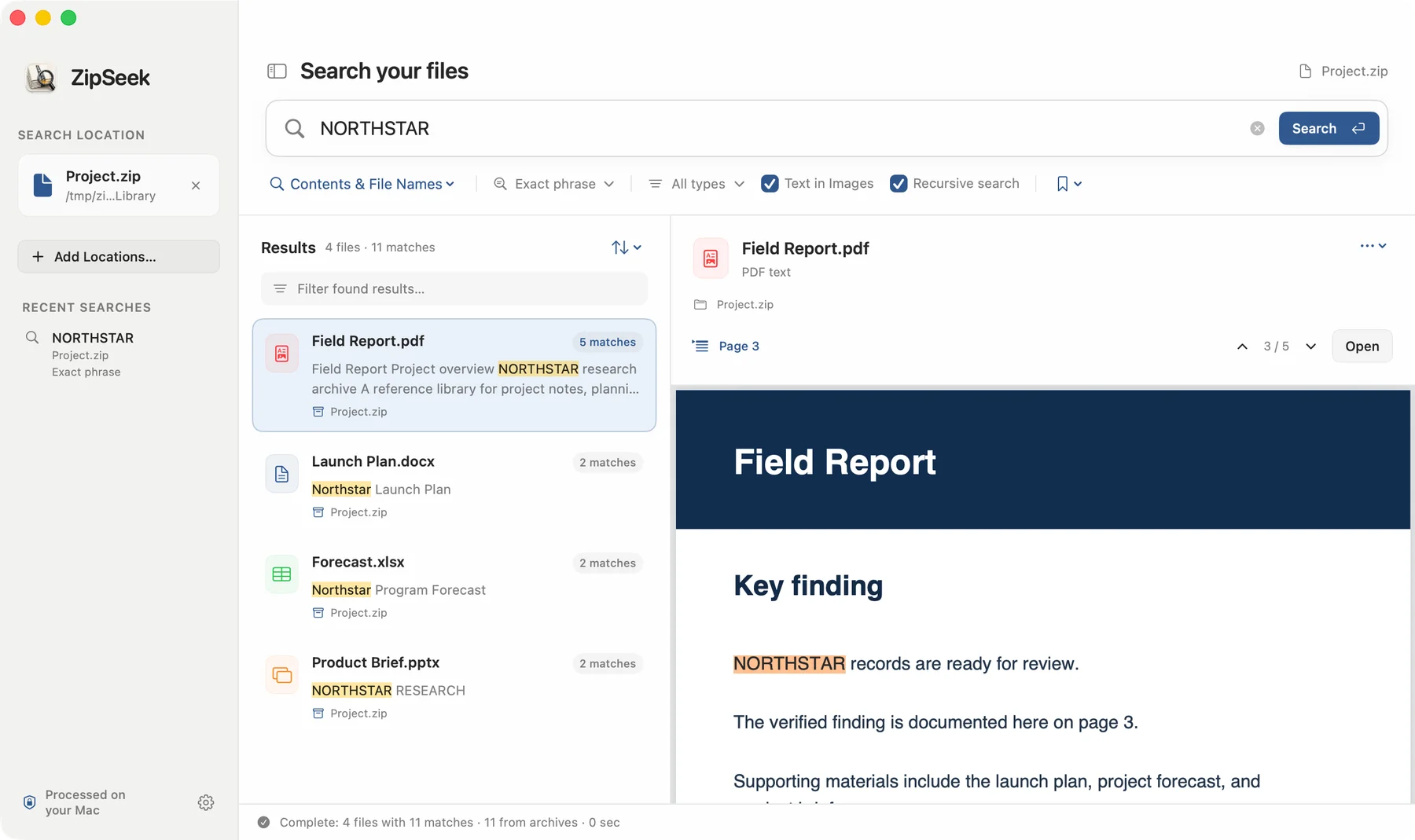
Nested archives
ZipSeek can move through ZIP, 7z, and RAR archives, including archives stored inside other archives. The result keeps the full breadcrumb so the source remains understandable.
Raise the archive limit in Settings when a real library needs more.
Size, expansion, and depth limits prevent runaway extraction.
Password-protected ZIP is supported; encrypted 7z and RAR are not yet supported.
Location-aware results
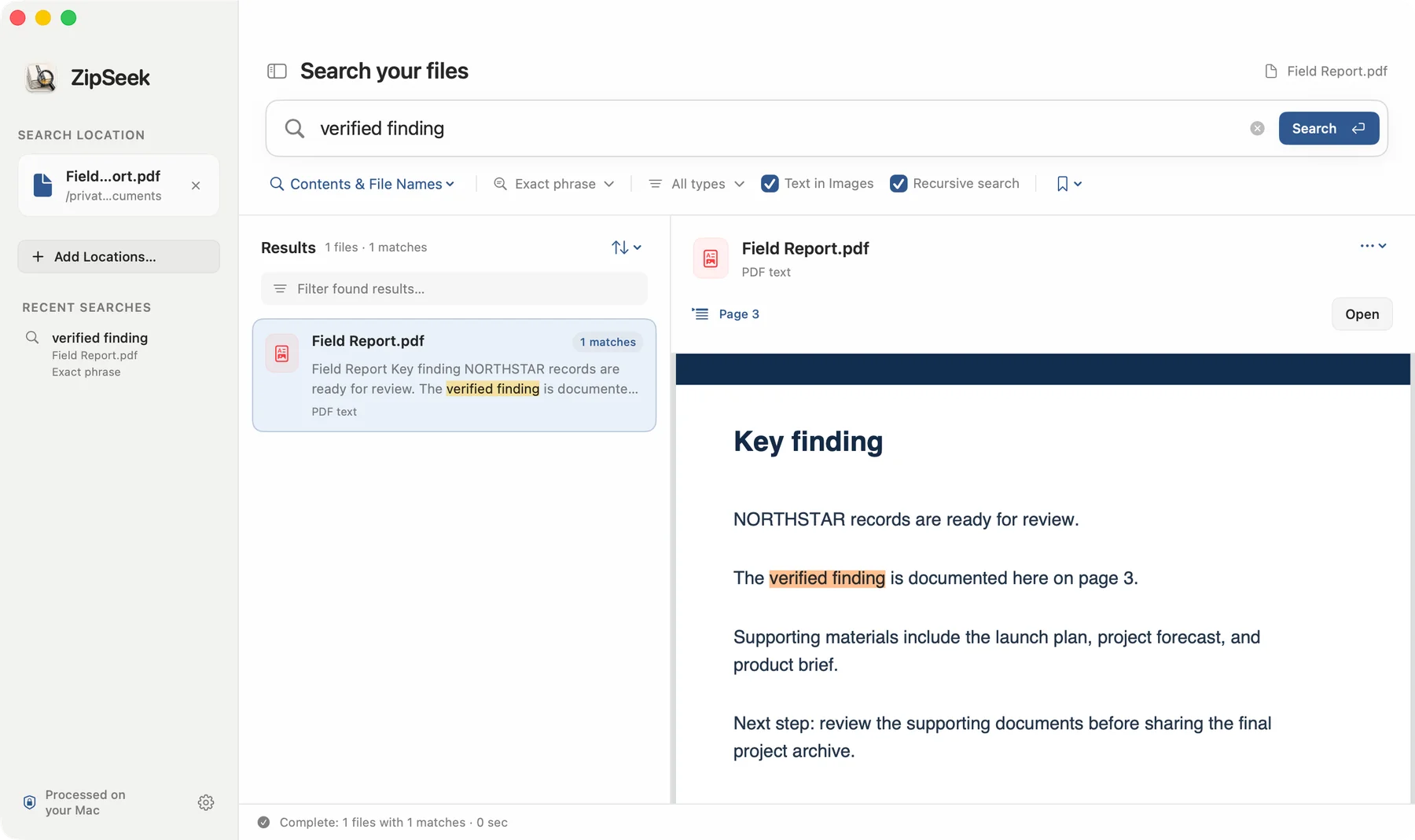
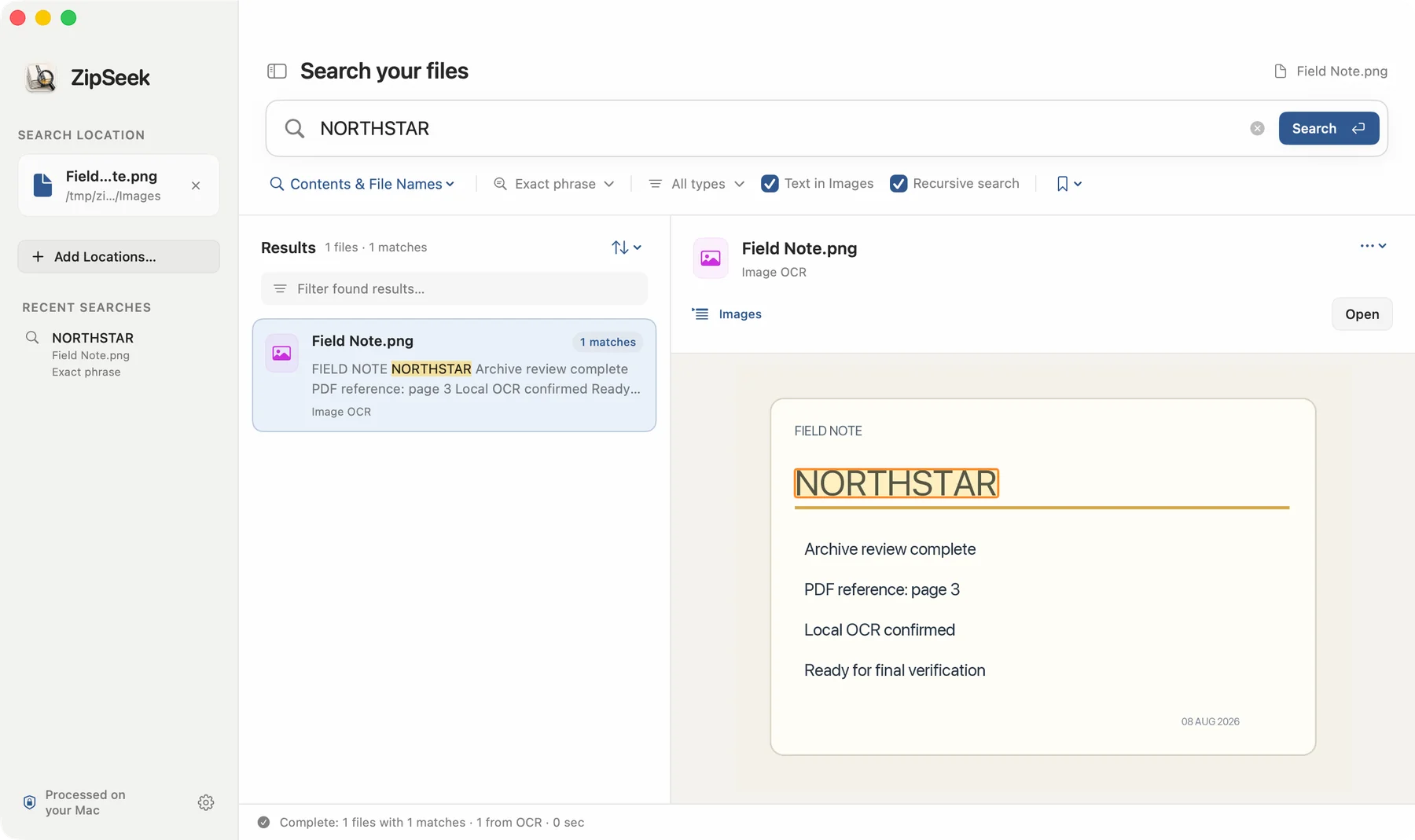
Text PDFs open on the matching page. Office results keep paragraph, slide, or worksheet locations. OCR results show the recognized region directly on the image.
Coverage
TXT, RTF, EPUB, PDF, DOCX, ODT, PPTX, ODP, XLSX, ODS
PNG, JPEG, HEIC, TIFF, BMP, GIF, WebP, and image-only PDFs
ZIP, 7z, RAR, TAR, GZ, BZ2, XZ, and common container variants
Simple ownership
The final price and Family Sharing availability are shown by your local App Store.
Trial
Pro
Privacy
FAQ
No. It searches only locations you choose. It may keep bounded local text and OCR caches for files you searched.
No. Cache entries are keyed to file identity and modification details, so changed files are processed again.
Yes. ZipSeek handles common Windows archive and filename encodings, including East Asian filenames, while respecting macOS path rules.
Yes when attachment search is enabled. File-type filters apply to the result files users selected, keeping the behavior predictable.
Download it free from the Mac App Store. Try every feature for 3 days, then unlock Pro with one purchase if it fits your workflow.